Mondays Are For The Birds – Great Black-backed Gull

I know it’s not Monday, but it is the first day back after a nice holiday break.  Same thing, or even worse…

This GBBG was spotted this past September during the local Audubon Society’s pelagic seabird trip to Carlyle Lake.  The species is the largest gull found on the North American continent.  They will eat any protein source they can find, including carrion and prey upon anything they can overpower, including smaller birds.  This striking guy is a first-year bird and this species will not breed until their forth year.  Interesting is the differences in behavior among these often difficult to distinguish gulls.  This guy almost always flew solo and higher than the flocks of Ring-billed that constantly followed the boats.

  IMG_4402

“Great-Black-backed Gull, Autumn 2012”

Technical details: Canon EOS 7D camera,  EF400mm f/5.6L USM lens, ISO 640,  f/5.6, 1/1250 sec

Success!

Thanks so much to everyone who contacted me with pointers to solve my problems with inconsistent colors between applications.  Converting to sRGB profile immediately before saving as a JPEG did the trick.  Now I have another thing to add to my workflow, but it’s definitely worth the extra step.  This problem has hounded me for a couple of months.  Thanks!  I am posting a corrected version of the previous posts’ image.  Of course, I forgot to save a final TIFF of the original, so they are not technically identical.  I had to start from the original CR2 file, but they are very close.  It should be a good learning experience to view both versions in multiple web browsers.  I am using a very old version of IE, however, and maybe the latest versions won’t have this difference?

Happy New Year, my friends.

IMG_9135

“Warm Flight (revisited)”

Technical details: Canon EOS 7D camera, EF500mm f/4.5L USM lens, ISO 400,  f/5.6, 1/1600 sec

Technically Proficient Photographers – Lend Me your Ear!

I have recently become aware of a concerning issue with presenting my photographs in the digital medium and I am begging for someone to help me.  I have noticed that there are dramatic differences in color temperatures and overall contrasts depending on what web browser or photo viewing software is used to view my images.  Take this one for instance.  I primarily use Firefox for my web browser and using it the image looks exactly as I finished it in Photoshop, nice and warm with contrasts that make it pop a bit (trust me, that day was anything but warm with temps in the high teens).  If you have the means, view this image in Firefox and Internet Explorer.  Can you see the differences?  In IE, the temps are much cooler and the image is overall muddy with low contrasts.  I have also seen differences in software used to view JPEGS.  In “Windows Photo Viewer” the image is exactly as I processed, but in “Quick Time” it is just as I described in IE.  Most disturbingly, every mobile device (ipod, smartphone, etc…) in which I have viewed my images has also displayed them in this cooler, mushy form.

I am very much a novice in terms of working with file formats, image modes, color profiles and everything related.  I am hoping someone out there can help me with this as you can see this looks to be a major problem.  If you can give me some incite, I will be eternally grateful.  I will even offer up your choice of one of my daughters.  Well, I don’t have any real daughters, but we do have four cats, and they are quite cute I assure you.  😉

Here is some info about my settings and workflow in case it might help: Convert from RAW in LR3 (ProPhoto RGB, 16-bit), move to PS CS6, work in TIFF (RGB, 16-bit), save as JPEG.  I am reasonably comfortable that I am working on a well-calibrated, acceptable quality monitor on a Windows platform.

Thanks for anything you can provide!

IMG_9135

“Warm Flight”

Technical details: Canon EOS 7D camera, EF500mm f/4.5L USM lens, ISO 400,  f/5.6, 1/1600 sec

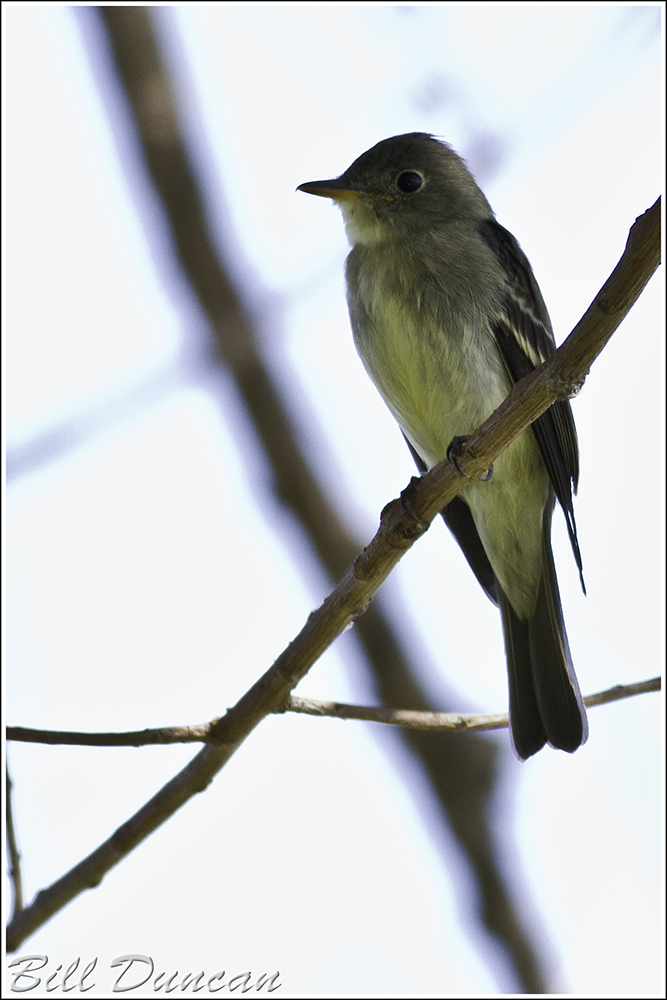
Pee-a-wee!

“At 3:40 this morning (sun rose at 4:09) a wood pewee sang over and over with perfect regularity a song of five drawling notes – pee-a-wee, pee-wee – both phrases ending on a rising inflection.  The syllables and the pauses between them were so regular that I could time by my breathing.  Pee-a-wee corresponded exactly with an inspiration, then, with a short pause the pee-wee finished at the end of expiration.  Then a longer pause – just as long as the rests between breaths – and after this he repeated his song with my next breath.  I was breathing, I suppose, about 16 times a minute, and the bird slowly fell behind, but he fell behind not from any irregularity, but because his rate was slightly lower than mine.”

-Arthur Clevland Bent

“Life Histories of North American Flycatchers, Larks, Swallows, and their Allies”

IMG_5686

“Eastern Wood Pewee”

Technical details: Canon EOS 7D camera,  EF400mm f/5.6L USM lens, ISO 640,  f/5.6, 1/500 sec

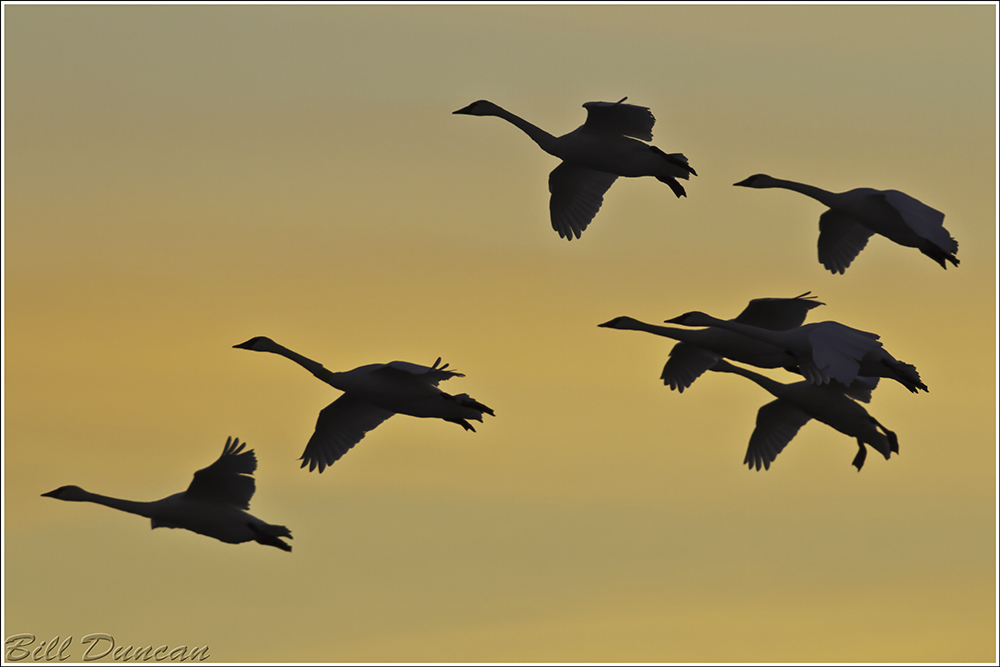
A Few Holiday Swans

I don’t have much to say today, I just thought I’d share a few random Trumpeter images taken recently.  My best wishes to anyone paying a visit during the holidays.

IMG_0023

“Flyby”

Technical details: Canon EOS 7D camera, EF500mm f/4.5L USM lens, ISO 640,  f/7.1, 1/2000 sec

IMG_0376

“Beating Traffic”

Technical details: Canon EOS 7D camera, EF500mm f/4.5L USM lens, ISO 640,  f/5.6, 1/1600 sec

IMG_9035

“Warm Friends”

Technical details: Canon EOS 7D camera, EF500mm f/4.5L USM lens, ISO 800,  f/6.3, 1/640 sec

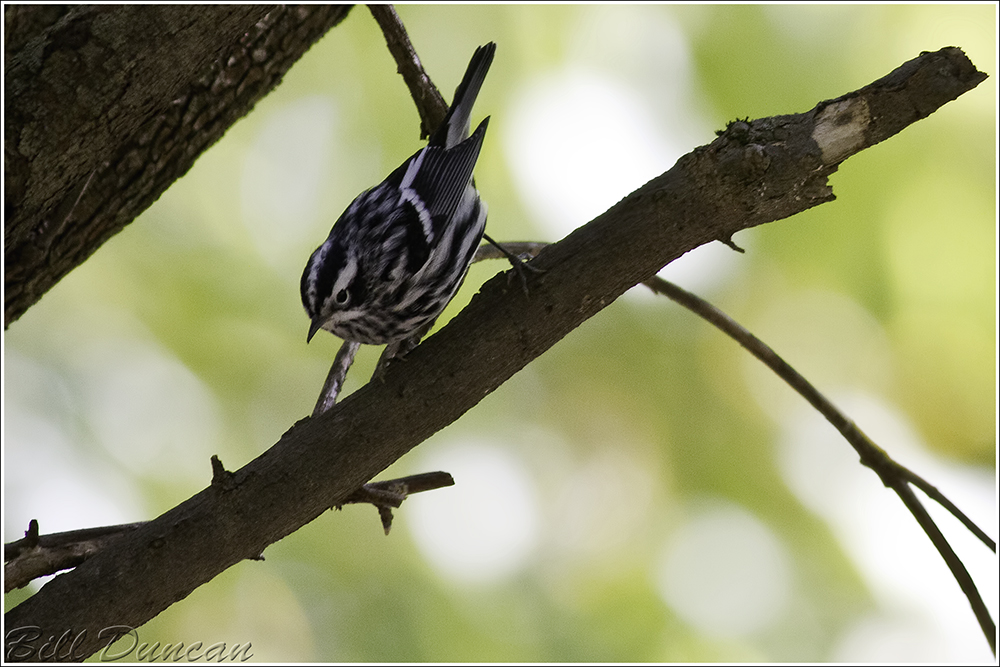
Black & White

I have been coming to a realization lately that although it is nice to try and continue to know, understand and discover ourselves, it may be of detriment to actually try and define ourselves.  We as humans love the definition.  It puts a nice bow on the subject at hand and we can then go on to define the next potentially scary or perplexing item.  However, if we hang a much to determinate definition on ourselves then it doesn’t leave too much room for change or growth.  By definition we become somewhat of a fixed, static entity.  As fond as I am of Tolkein’s Middle Earth stories, I am becoming less and less engaged in stories of black and white, good or evil.  As time goes on I am finding myself far more interested in stories with characters of the in-between.  One recent example is the A Song of Ice and Fire series by George Martin, but there are other better ones.  Any suggestions?

IMG_6965

“Black and White Warbler, Autumn 2012”

Technical details: Canon EOS 7D camera,  EF400mm f/5.6L USM lens, ISO 800,  f/5.6, 1/200 sec

Magnolia Warbler, Autumn 2012

Magnolia Warblers can be a blast to watch as they migrate through the St. Louis region.  Searching almost nonstop for tasty prey hidden on the undersides of leaves on shrubs and short trees, they will sometimes hover as well as take short looping flights following insects that have been flushed.

IMG_6840

“Magnolia Warbler, Autumn 2012”

Technical details: Canon EOS 7D camera,  EF400mm f/5.6L USM lens, ISO 640,  f/5.6, 1/1000 sec

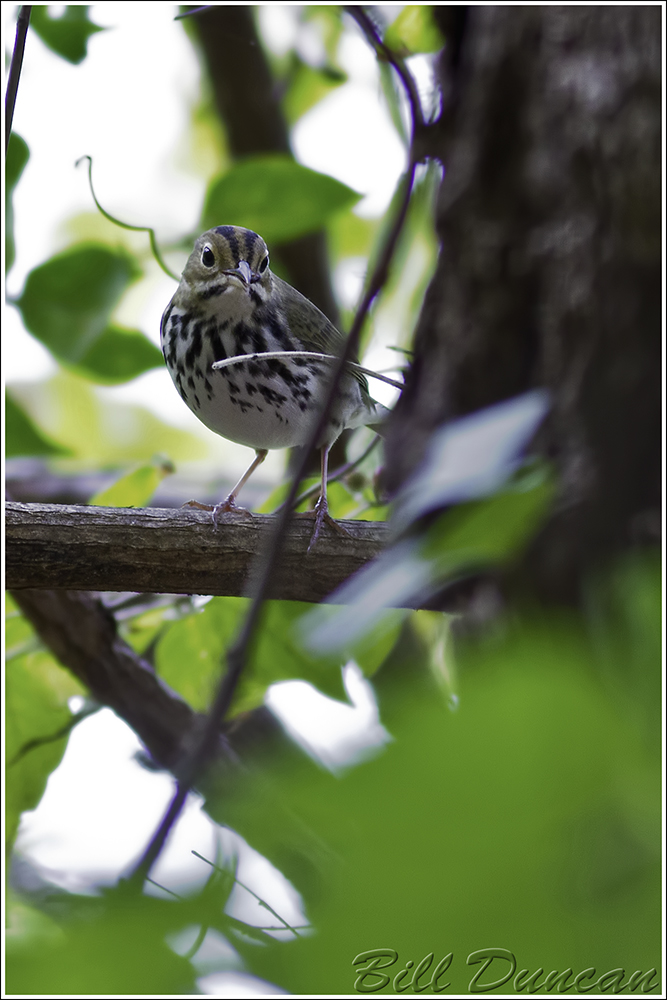
The Oven Bird

The Oven Bird

THERE is a singer everyone has heard,

Loud, a mid-summer and a mid-wood bird,

Who makes the solid tree trunks sound again.

He says that leaves are old and that for flowers

Mid-summer is to spring as one to ten.

He says the early petal-fall is past

When pear and cherry bloom went down in showers

On sunny days a moment overcast;

And comes that other fall we name the fall.

He says the highway dust is over all.

The bird would cease and be as other birds

But that he knows in singing not to sing.

The question that he frames in all but words

Is what to make of a diminished thing.

-Robert Frost-

IMG_6864

“Ovenbird, Autumn 2012”

Technical details: Canon EOS 7D camera,  EF400mm f/5.6L USM lens, ISO 640,  f/5.6, 1/200 sec

Nature’s Mouths

“How many mouths Nature has to fill, how many neighbors we have, how little we know about them and how seldom we get in each other’s way!  Then to think of the infinite numbers of smaller fellow mortals, invisibly small, compared with which the smallest ants are as mastodons.”

-John Muir-

IMG_0023

“Red-shouldered Hawk Nest, SNR 2012”

Technical details: Canon EOS 7D camera,  EF400mm f/5.6L USM lens, ISO 400,  f/6.3, 1/125 sec

The Sedge Wren

“…wildlife once fed us and shaped our culture.  It still yields us pleasure for leisure hours, but we try to reap that pleasure by modern machinery and thus destroy part of its value.  Reaping it by modern mentality would yield not only pleasure, but wisdom as well.”

-Aldo Leopold-

IMG_5037

“Sedge Wren, Autumn 2012”

Technical details: Canon EOS 7D camera,  EF400mm f/5.6L USM lens, ISO 800,  f/5.6, 1/160 sec